I installed a solar-powered rooftop Meshtastic node on the roof of my home along with my partner and a friend. Hanging out and learning together is the best part of what this, or any technology can build.
This post was originally a place to host images for an Etherpad to coordinate this install event, but I’m trying to update this post with my thoughts on this technology and the install process in general.
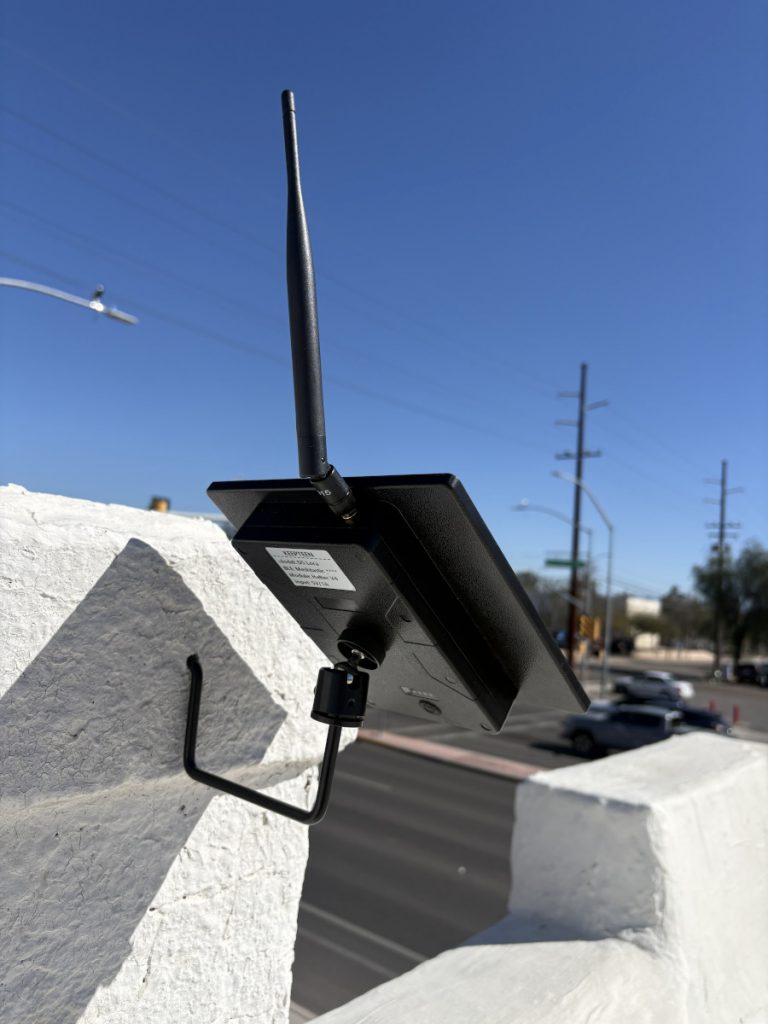
Over the last year, a technology called Meshtastic started popping up on my social media feeds. The technology uses relatively low-cost radios to send encrypted messages and location data over a portion of the radio spectrum that doesn’t require a license.
A friend gave me a mobile device, and while I could see messages come through on the public channel that, in my area, people use primarily for testing, I lived too far from anyone else I knew with a radio to chat with them.
If I wanted to do more with this technology, I needed to install a rooftop node that could better hear signals from other nodes.
So what?
Meshtastic devices enable sending encrypted text messages. This is somewhat limited compared with the multimedia messages and internet access widely available through most smart phones. And it’s even more limited than the voice communication possible through two-way radios. So why bother learning and trying to deploy this technology?
Autonomy. Does anyone really love their cell phone carrier? What if the owners of these networks or the government decides to limit access or intensely surveil these networks? What if there is a disaster that causes an outage that the network owners are not able to quickly repair? Building community-controlled communications networks is a step in direction of giving us more autonomy in these scenarios. I’m ambivalent about whether Meshtastic or other LoRA-based technologies are particularly useful or the best technology to pursue. However, devices are relatively inexpensive and the technical, and more importantly, the human, considerations for getting Meshtastic radios to effectively talk with one another are similar to building any other kinds of wireless networks. So, they represent a good entry point into building autonomous communication networks.
Simplicity. Smartphones and the internet provide broad capabilities, but can also have detrimental effects on mental health and attention. Does simpler messaging with friends and neighbors help us reconsider the ways we engage with other technologies?
Connections between friends and neighbors. There are many ways to build connections between people. For me, I like to do projects with other people. As a renter, I’m not going to be building an ADU, or even a shed. Building radio networks taps into the time-honored tradition of friends and neighbors helping one another create infrastructure. Coming together to build these networks gets us in the habit of mutual aid and working together in ways that can help to respond to other kinds of crisis.
Meshraising
I decided to put this on my roof taking an approach called “meshraising” that’s being developed by Tucson Mesh, a group that has build a community-powered mesh WiFi network to provide free or low-cost internet access. Someone who wants to get connected gathers a group of interested neighbors and along with more experienced facilitators, they test line of sight and signal strength, install the hardware on the roof, crimp cables and learn about the technology. At the same time, some neighbors may meet each other for the first time through a shared project.
Following this model, but with much less planning and coordination, I invited some friends who had expressed interest over to do the install of the Meshtastic node.
The plan was to divide the tasks into groups that could be split up between a number of teams if a lot of people showed up. Ultimately, only one friend was able to make it by the time I scheduled the event, but it was more fun than if I had just done it by myself. We ended up doing doing all the tasks together, but having the tasks planned out was helpful.
The roof. Figure out where and how to best mount the node and construct any kind of mast or bracket. Once the node has been configured, attach the node to the mounting bracket and angle the node so the solar panels can provide the maximum charge.
Configuration. Configure the Meshtastic node so it can connect to other nodes in the city. For this install I used the settings suggested by the Arizona Meshtastic Community.
Testing. Get a baseline of how far two mobile nodes can message each other. Once the node is installed, see how the messaging range of the mobile nodes improves with a rooftop node nearby to relay messages.
I made a template for the doc I shared to invite people to help install the node here.
The device
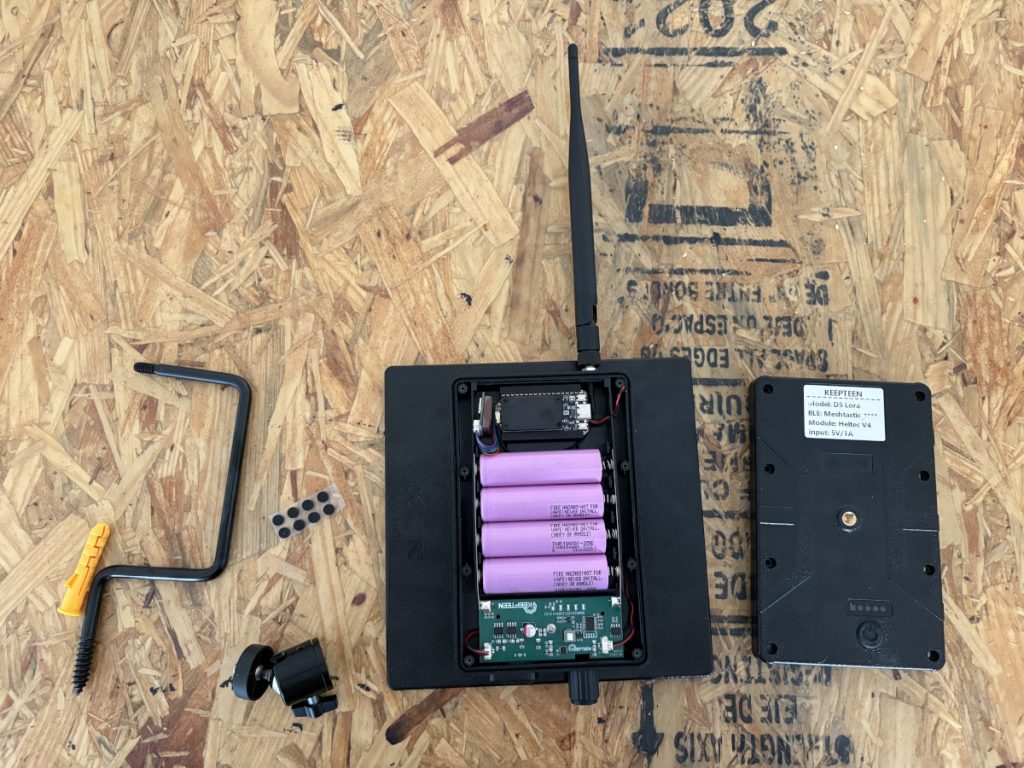
I bought a device off of Ali Express that combines the Heltec v4 board that includes a microcontroller and the LoRa radio with a solar panel, enclosure, external antenna, battery holder and power controller. It comes with some basic mounting hardware.
It’s pretty similar to this enclosure sold by Heltec.
Mounting the node
I originally wanted to use a mast to get some additional height, but ultimately figuring out how to mount this when I didn’t want to buy a non-penatrating roof mount or do too much screwing into the side of the house was too difficult.
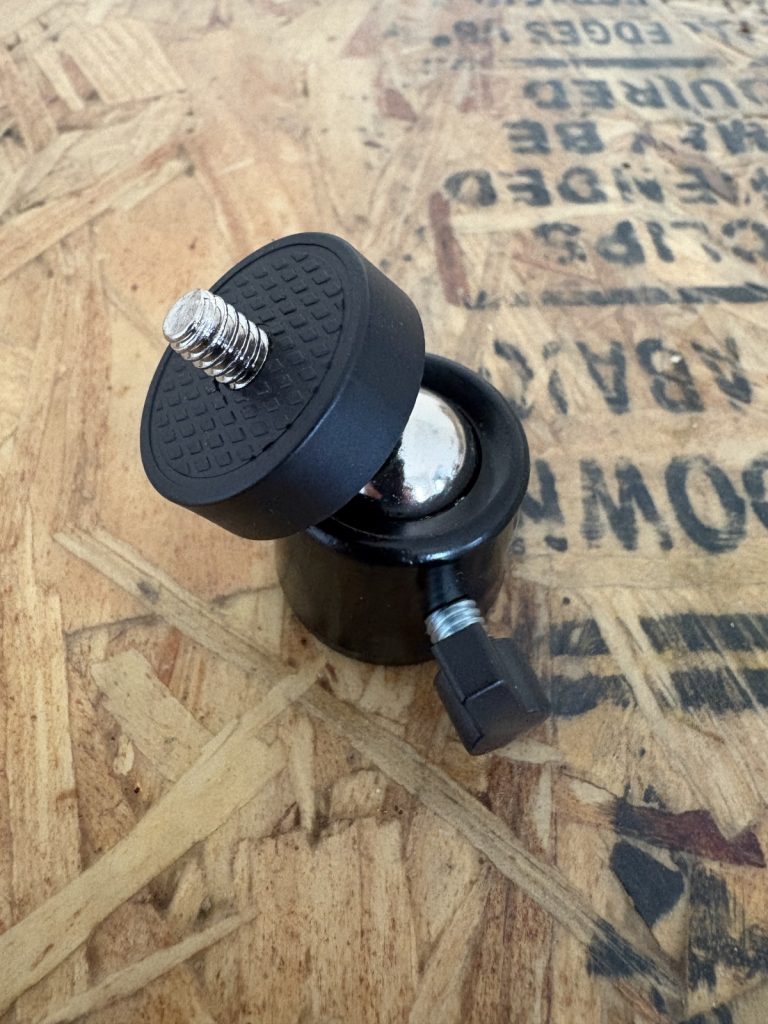
One mast idea was just a poll and somehow mounting the node at the top using the connector that came with the kit.
The screw on either side of the mount is probably 1/4-20 UNC because it screwed onto my tripod.
Some inspiration:
- Just put antenna mast into vent like this design.
- This DIY mast uses “1 inch outer diameter non-conductive electrical conduit in a 10 foot length”.
- This build has a cool 3D-printed connector. That won’t work for this type of node, but it’s good inspiration for thinking about different ways to mount the node to a mast.
- This mast you can buy says “manufacturers recommend that mast heights of 10 feet and higher be guyed,” so sticking to 6’ or under seems smart.
This is the only vent that is long enough to consider mounting a mast to. Unfortunately, when I jiggled it, I don’t think it’s sturdy enough.
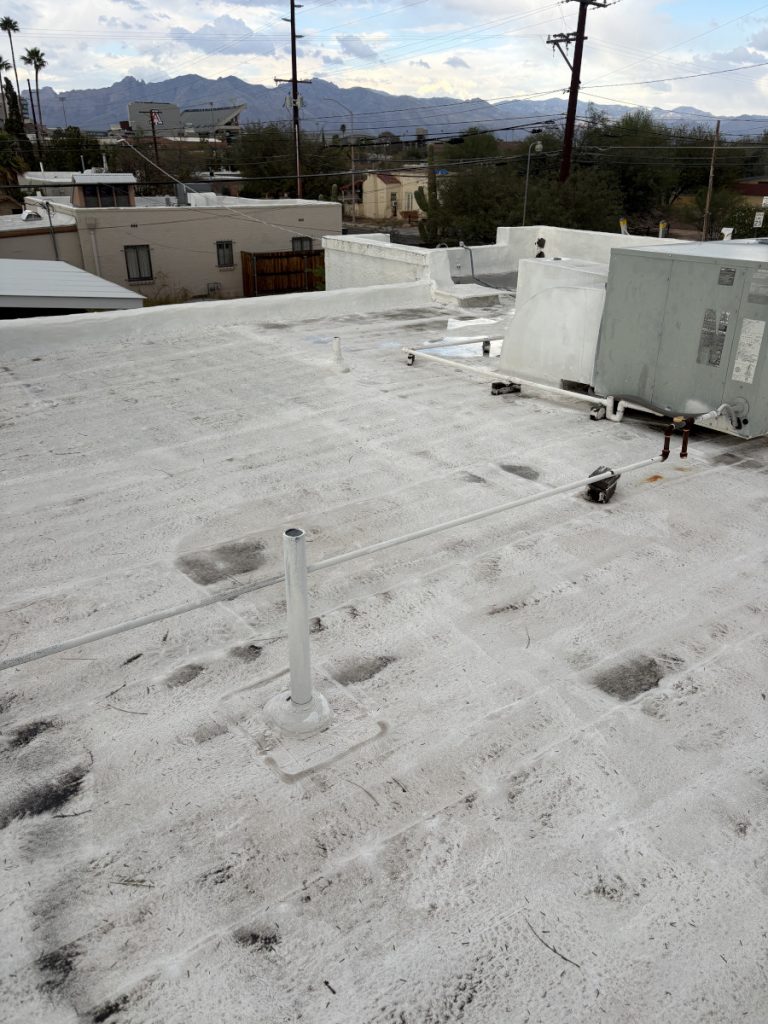
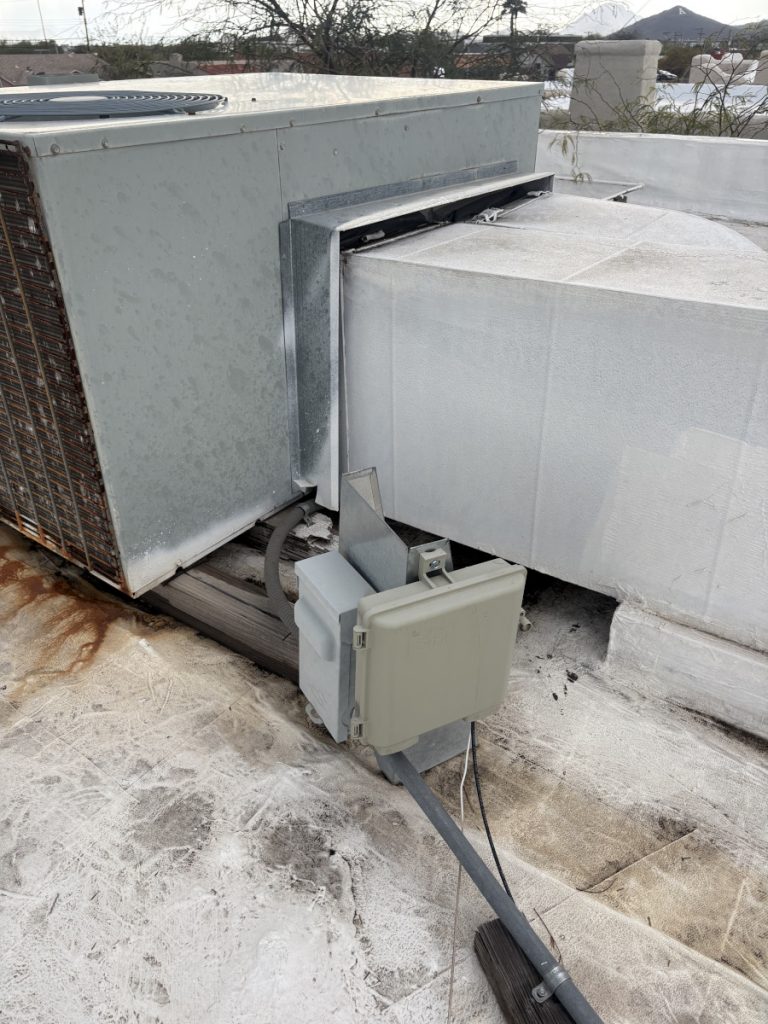
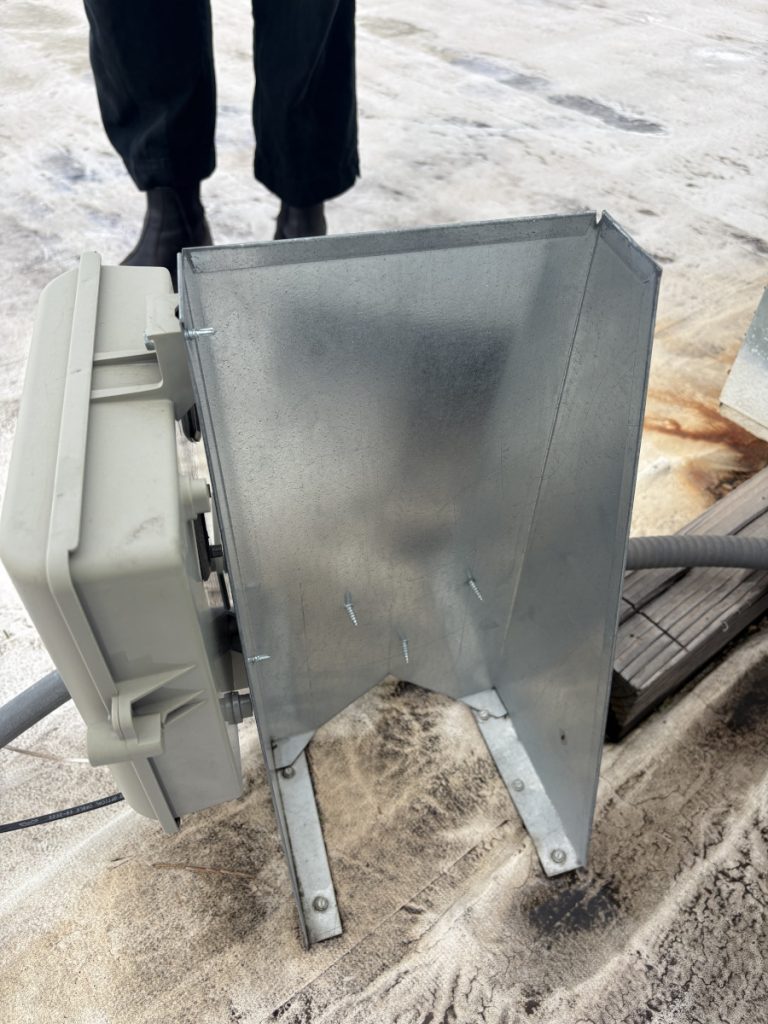
I could also try mounting a mast with U brackets to this plate, where a telecom box and power to the AC unit are routed.
Here’s the back of the plate. Avoiding the box for the AC might be tricky when mounting on the sturdiest face:
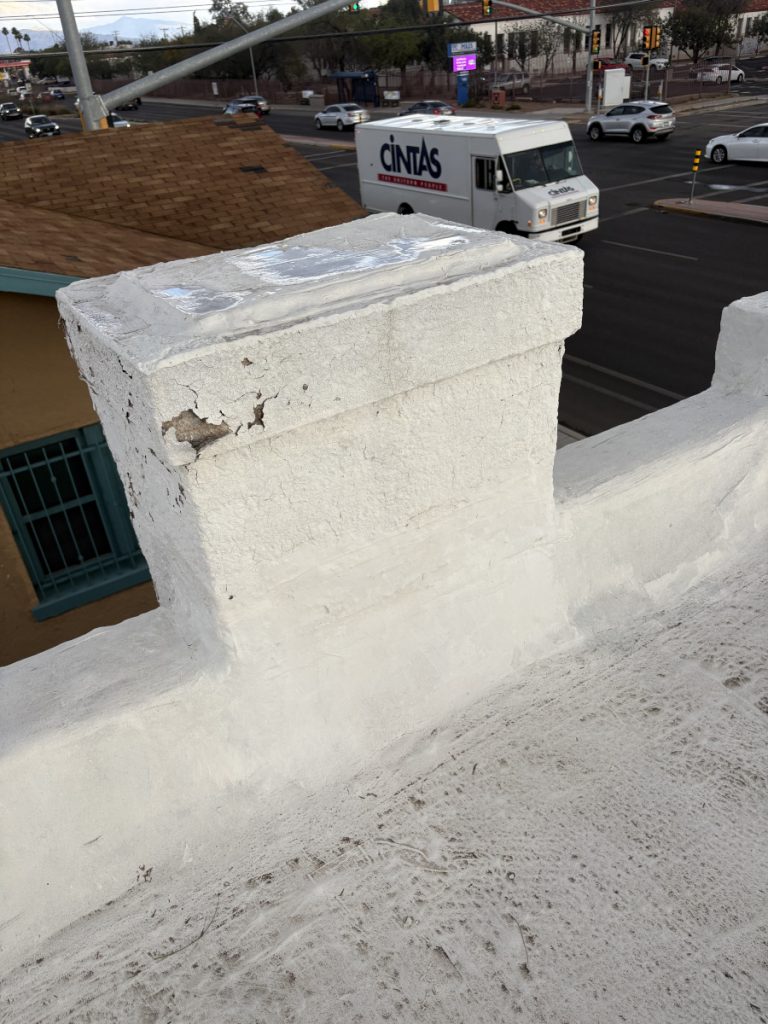
I think the best bet will be to just screw the mount that comes with the kit into this chimney, the highest point around the edge of the roof.
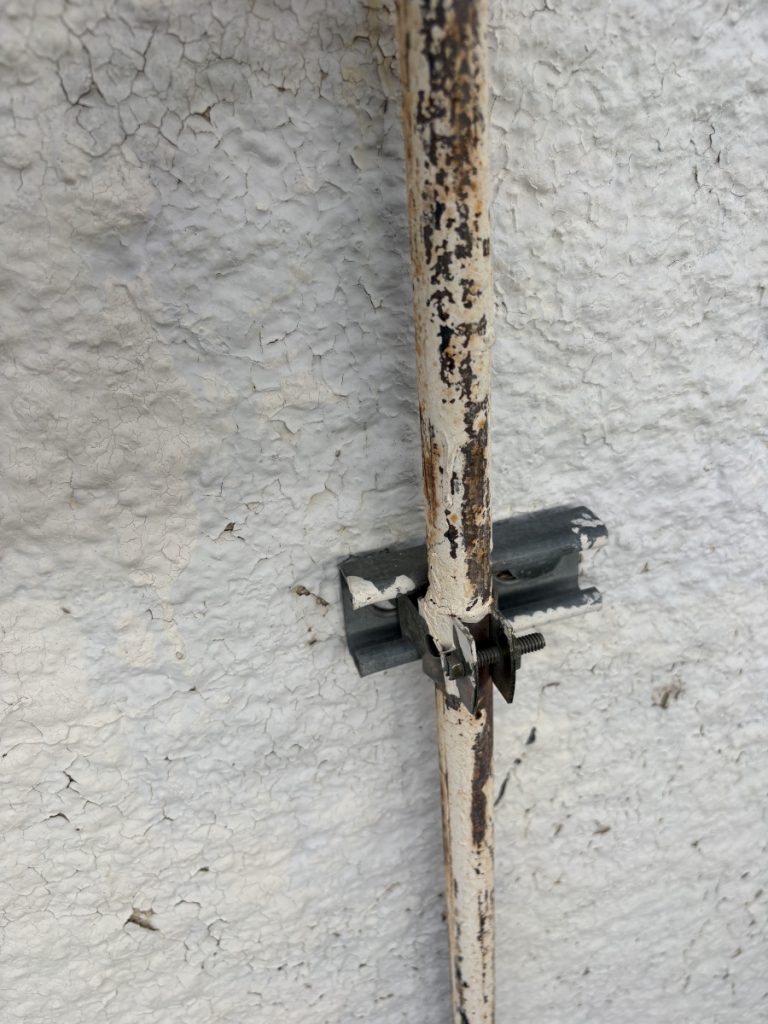
The brackets used to hold the gas line to one side of the house might be a good part to try to find if I ever do end up installing a mast.
Success!
We got the node up. We took a walk with mobile radio and could DM the rooftop node from at least a half mile away, though it had trouble when we stood next to taller buildings.
I definitely started seeing more messages on the primary channel on my mobile node with the installation of the rooftop node.