Day 2: Bank Shot
Day 1: Resolutions
Installing numpy into a virtualenv
I ran into some problems installing numpy in a virtualenv on Ubuntu 10.10. I’m not sure what the root cause of the problem was, but my environment is a little weird in that I have a number of different python versions installed and virtualenvs using different versuons of python. The setup for numpy wasn’t finding global environment configuration variables from the call to sysconfig.get_config_vars. I ended up fixing my issues by copying the global Makefile and pyconfig.h into the virtualenv:
$ mkdir -p /home/ghing/.virtualenvs/foodgenius-analytics/local/lib/python2.7/config/
$ cp /usr/lib/python2.7/config/Makefile /home/ghing/.virtualenvs/foodgenius-analytics/local/lib/python2.7/config/
$ mkdir -p /home/ghing/.virtualenvs/foodgenius-analytics/local/include/python2.7/
$ cp /usr/include/python2.7/pyconfig.h /home/ghing/.virtualenvs/foodgenius-analytics/local/include/python2.7/
“Optimism is a political act”
Optimism is a political act. Those who benefit from the status quo are perfectly happy for us to think nothing is going to get any better. In fact, these days, cynicism is obedience.
– Alex Steffen from The Bright Green City: Alex Steffen’s Optimistic Environmentalism
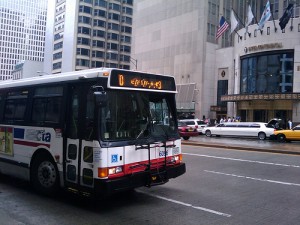
Twitter interface to CTA bus tracker
About
This is a Twitter (and hopefully, later, a plain old SMS) interface to the CTA Bus Tracker so those of us with simple mobile phones can find out information about our busses.
Ever since I moved to Chicago, I’ve been riding the Chicago Transit Authority (CTA) busses almost every day. I’ve missed my bus more than a few times too. CTA has a Bus Tracker website that works from computers and mobile devices with web browsers (there’s iPhone apps as well), but my phone only does SMS.
This is a work in progress as I’m coding it mostly on the bus on the way to and from work.
Usage
In order to do anything, you have to follow @ctabt.
The best way to show how to use the system is through some examples:
Get help
d ctabt help
Get all stop names and IDs for Eastbound route 77
d ctabt 77 east stops
Get the name for Eastbound route 77 stops at Sheffield
d ctabt 77 east stops shef
Get upcoming busses for a particular stop by name
d ctabt 77 east shef
Get upcoming busses for a particular stop by ID
d ctabt 77 east 9288
You can abbreviate most parts of the commands
d ctabt 77 e s shef
Related Work
- Implementing this was made possible by Harper Reed’s awesome opening of the Bus Tracker API.
- CTA Tweet Feed has Twitter/RSS feeds of authoritative and user-generated updates about riding the CTA.
Links
Testament
Testament is a Django-based prison book project management application originally written by Andrew Badr. It lets volunteers track sent and returned packages and inmate requests in the hopes of minimizing delays for inmates and helping the book projects evaluate their services for themselves and funders. It is used by the Midwest Pages to Prisoners Project and other prison book projects. I am a contributor to this application’s code and migrated from a pencil and paper on index card database to Testament while coordinating the Midwest Pages to Prisoners Project.
Installing VMware Server 2.0.2 with Linux Kernel 2.6.31-*-rt Ubuntu Studio 10.04
I’m working on a virtualized environment to run scalable instances of the Public Mapping Project app.
While the project offers an EC2 AMI, my boss wanted to run this on our own hardware, so we’re going to use VMware. To develop the instance images, I wanted to install VMware Server 2.0.2-203138 on my notebook which is running Ubuntu Studio 10.04 with a 2.6.31-11-rt kernel.
The installer provided by VMware doesn’t work out of the box for Ubuntu Systems. So, I followed the instructions in the Ubuntu Community VMware Server Documentation which instructs users to use a patching system developed by Radu Cotescu. While this was easy to use and clearly documented, it didn’t work for me. This is what happened:
ghing@geoffsnotebook:~/Downloads$ sudo ./raducotescu-vmware-server-linux-2.6.3x-kernel-71f8b66/vmware-server-2.0.x-kernel-2.6.3x-install.sh .You have VMware Server archive: VMware-server-2.0.2-203138.i386.tar.gzChecking for needed packages on UbuntuYou do have the linux-headers-2.6.31-11-rt package...You do have the build-essential package...You do have the patch package...Extracting the contents of VMware-server-2.0.2-203138.i386.tar.gzFound .tar file for vsock moduleFound .tar file for vmci moduleFound .tar file for vmmon moduleFound .tar file for vmnet moduleExtracting .tar files in order to apply the patch...Untarring ./vmware-server-distrib/lib/modules/source/vsock.tarUntarring ./vmware-server-distrib/lib/modules/source/vmci.tarUntarring ./vmware-server-distrib/lib/modules/source/vmmon.tarUntarring ./vmware-server-distrib/lib/modules/source/vmnet.tarTesting patch...Creating some simlinks for the newer kernels...ln: creating symbolic link `/usr/src/linux-headers-2.6.31-11-rt/include/linux/autoconf.h': File existsln: creating symbolic link `/usr/src/linux-headers-2.6.31-11-rt/include/linux/utsrelease.h': File existsApplying patch...Preparing new tar file for vsock modulePreparing new tar file for vmci modulePreparing new tar file for vmmon modulePreparing new tar file for vmnet moduleChecking that the compiling will succeed...Trying to compile vmci module to see if it worksPerforming make in ./vmware-server-distrib/lib/modules/source/vmci-onlyUsing 2.6.x kernel build system./home/ghing/Downloads/vmware-server-distrib/lib/modules/source/vmci-only/linux/driver.c: In function ‘LinuxDriver_Open’:/home/ghing/Downloads/vmware-server-distrib/lib/modules/source/vmci-only/linux/driver.c:363: error: implicit declaration of function ‘init_MUTEX’make[2]: *** [/home/ghing/Downloads/vmware-server-distrib/lib/modules/source/vmci-only/linux/driver.o] Error 1make[1]: *** [_module_/home/ghing/Downloads/vmware-server-distrib/lib/modules/source/vmci-only] Error 2make: *** [vmci.ko] Error 2There is a problem compiling the vmci module after it was patched. :(
I began to suspect that my problem could be related to the realtime kernel used by Ubuntu Studio. Googling, I found that other realtime kernel users were having problems installing VMware products.
This thread offers a description of the problem and a patch for another VMware project. Based on this I was able to create my own patch for the VMware server kernel module sources. I then modified Radu’s patch and was able to run his shell script to successfully install VMware server.
Relevant files:
To use, simply download my updated version of Radu’s patch and save it in the directory where you unarchived Radu’s installer scripts.
Visualizing Defiance, Ohio Shows
I won a free O’Reilly ebook from a hackathon I participated in a while ago. I chose Visualizing Data and I’ve been working through the book. I always find that its more helpful to work on a project of my own that approximates the examples in a technical book instead of just reading or copying and pasting the example code. It forces me to learn new things, gets me more excited about the project and makes me re-read portions of the book in detail.
For a useful time series, I chose one that was close to my life, the list of past Defiance, Ohio shows. It was also useful because I was trying to set expectations for a new job and wanted to let them know how much time I had spent away from home in the past. The original version of this list was pretty messy, so I had to clean it up a lot with Google Refine before visualizing it using processing.
Most striking, you can see how our activity has become more sparse in the last few years. If you’re interested in the code, you can download the processing code.
Creating a video CD (VCD) from a YouTube video
As a Christmas gift for my father, I transferred a YouTube video of a public service announcement that he remembered fondly from his childhood to optical media so he could watch it on the television instead of on the computer.
There were some unique sets of constraints that made this an interesting project. First, I came to my parents’ house with only a Dell Mini netbook (with no optical drive) running Ubuntu Linux. None of the computers had DVD writeable optical drives, but they could burn CDs. My parents’ DVD player can play video CDs (VCDs) so I decided this would be a good option.
Capturing the video
I downloaded the YouTube video using the UnPlug extension for Firefox. I chose to save the MP4 version of the video.
Transcoding the video
Since I would be burning the video on my mom’s notebook, I read the help documentation for the CD writing software to determine which video format the software needed to create a VCD.
VLC is usually my go-to tool for working with video, but I got errors about not having the correct codecs. Rather than messing around, I wanted to just get the project done. So, my next choice was FFmpeg. It was a good choice because the software, though a command-line utility, has a preset for creating an mpeg file suitable for burning a VCD.
ffmpeg -i High\ Flight\ \(John\ Gillespie\ Magee\ Jr\ Poem\).mp4 -target ntsc-vcd high_flight.mpg
I was able to do this with the version of ffmpeg included with Ubuntu 10.04, but as ffmpeg is cross-platform it should be straightforward to do this on other platforms.
Burning the VCD
I copied the file to my Dropbox and downloaded it to my Mom’s computer using the services web interface. Her burning software allowed me to just drag-and-drop the file into the burning program’s window.